Soft Booking vs. Hard Booking: A Smarter Approach to Resource Planning
Learn the difference between soft and hard booking and how resource teams can use both to improve capacity planning, allocation, and workload visibility.
Planning your team’s time is easy when all the work is confirmed.
But it rarely is. Some projects are waiting for a budget. Some are waiting for approval. Some have been “starting soon” for months.
This is where things go wrong. If you book people for work that isn’t confirmed, they may end up with nothing to do. If you don’t book them, you’re stuck when the work suddenly gets approved, and the people you need are already busy.
Either way, you’re the one fixing the schedule. Usually at the last minute. Sometimes on a Sunday.
Soft booking and hard booking solve this:
- A soft booking holds someone’s time for work that might happen.
- A hard booking commits someone’s time to work that will happen.
Use both, and you can see what’s confirmed, what’s coming, and who’s actually free.
What Is Soft Booking?
A soft booking is a temporary hold on someone’s time for work that isn’t confirmed yet.
You think the work will happen, so you reserve the people you’ll need. But nothing is final. Until it is, those people can still be booked for other work.
You can use soft bookings for any work that’s still waiting on something:
- A new project waiting for budget
- The next phase of a project waiting for approval
- An internal project waiting for a green light
- A confirmed project waiting for a start date

Example: A client wants to add phase 2 to their project in November. Everyone likes the idea, but the budget isn’t approved yet. So you soft book:
- 1 project manager
- 2 developers
- 1 designer, half-time
If the budget is approved, these become hard bookings. If not, you remove them. No harm done, and nobody’s schedule is blocked for nothing.
Why this matters: Many teams don’t plan ahead at all. In a Resource Management Institute survey of 82 professional services firms, 51% had no formal process for forecasting resource needs, and half could only forecast two months ahead. Soft bookings are a simple way to start. They show what’s likely coming, so you’re not planning one week at a time.
Key characteristics of a soft booking
- Tentative: The work might happen. It might not.
- Visible: Everyone can see the hold, so nobody books the same person by accident.
- Doesn’t block time: The person can still be booked for confirmed work. Confirmed work always comes first.
- Flexible: You can change the dates, hours, or people at any time.
- Temporary: Every soft booking needs an end date. Otherwise it stays on the plan long after the project was cancelled.
- Can be a role: You can book “a developer” before you decide which developer.
- For planning ahead: Soft bookings show what might be coming. They don’t tell people what to work on today.
When should you use a soft booking?
Use a soft booking when:
- The work is likely, but not approved
- The budget or sign-off is still pending
- The scope isn’t final yet
- The start date might change
- You want to see busy periods before they arrive
💡 Tip: Add a short note to every soft booking saying what it’s waiting for, such as “waiting for budget approval, decision expected Nov 15.” Then anyone can see why the hold is there, without asking around.
What Is Hard Booking?
A hard booking is a confirmed assignment of someone’s time to work that is definitely happening.
The work is approved. The start date is set. The scope is agreed. Once someone is hard booked, that time belongs to the project. They can’t be booked for other work during those hours.

Example: Remember phase 2, the one waiting for budget? It got approved. 🎉 The client also added a few more requests (they always do), so the team grows a little:
- 1 project manager
- 2 developers
- 1 designer, now full-time
These soft bookings now become hard bookings. Anyone who looks at the plan can see these people are busy on phase 2. Nobody finds out three weeks later in a stand-up.
Why this matters: When nobody can see who’s already booked, the same people keep getting more work. That has a real cost. Gallup found that an unmanageable workload is the second biggest cause of employee burnout, and 76% of employees feel burned out at least sometimes. Hard bookings protect people’s time. Once someone is booked, everyone can see they’re busy.
Key characteristics of a hard booking
- Confirmed: The work is approved and will happen.
- Blocks time: The booked hours are taken. Nobody else can use them.
- A specific person: Hard bookings name a real person, not just a role.
- Based on agreed scope: Hours and dates come from the approved plan, not an early guess.
- Harder to change: Moving a hard booking affects live work and the client. Only change it for a good reason.
- Comes first: If a hard booking and a soft booking need the same person, the hard booking wins.
- For doing the work: Hard bookings tell people what to work on.
- Compared with logged hours: You can check scheduled hours against the hours people actually log.
When should you use a hard booking?
Use a hard booking when:
- The work is approved in writing, through a signed contract, an approved budget, or a formal sign-off
- The start date is confirmed
- The scope is clear enough to plan
- You know who will do the work and how many hours they need
💡 Tip: Hard book regular internal work too, like training, team meetings, and support shifts. These take real time. If they’re not on the plan, your team looks more available than it really is.
Soft Booking vs. Hard Booking: What’s the Difference?
The short version: a soft booking is a hold, and a hard booking is a commitment.
Both put people on the resource plan. The difference is how certain the work is, and what happens to that person’s time while you wait.

| Soft booking | Hard booking | |
|---|---|---|
| Work status | Not confirmed yet | Confirmed |
| Commitment | Tentative hold | Firm commitment |
| Blocks capacity? | No, the person can still take confirmed work | Yes, the hours are taken |
| Who gets booked | A role or a specific person | A specific person |
| Based on | Estimates and assumptions | Agreed scope and dates |
| Easy to change? | Yes, it moves as the work takes shape | Not really, changes affect live work |
| Priority | Gives way to hard bookings | Always wins |
| Main purpose | Forecasting future demand | Planning and delivering work |
| Example | Phase 2, waiting on budget | Phase 2, approved and starting the 3rd |
Key takeaway: Soft bookings show what might happen. Hard bookings show what will happen. You need both to see the full picture.
Why you need both, not one or the other
Using only one type causes predictable trouble:
- Only hard bookings: Your plan looks calm, right up until phase 2, the internal project, and a client extension all get approved in the same week. Everyone discovers the crunch at the same moment, usually in a meeting titled “Urgent: resourcing.”
- Only soft bookings: Everything is tentative, so nothing is protected. Two managers book the same developer, and both say, with confidence, “but I booked her first.”
- Both: Hard bookings protect confirmed work. Soft bookings show what’s coming. You spot the crunch weeks ahead, while you still have time to bring in help or move a start date.
How Soft and Hard Bookings Fit Into Resource Planning
Resource planning comes down to three questions:
- Who’s available?
- Who do we need, and when?
- Who’s working on what?
Soft and hard bookings help answer all three. Hard bookings show what your team has already committed to. Soft bookings show what might be coming. Without both, you’re answering these questions with half the information, usually in a meeting that runs over.
The pattern: soft bookings help you look ahead, and hard bookings help you deliver.
The capacity model: from total hours to logged hours
Most resource plans fail because they start with the wrong number. They count the hours in a month, not the hours people can actually work.

A better model follows five steps, from total capacity down to the time your team actually logs:
1. Capacity
Each person’s total working hours, based on their schedule. A full-time team member working 8 hours a day, 21 days a month, has 168 hours of capacity.
2. Time off and holidays
Subtract public holidays and approved time off. These hours exist on paper, but nobody’s working them (and nobody should be Slacking them either).
3. Availability
What’s left is the time that person can actually spend on work.
Availability = Capacity − Time off − Holidays
4. Scheduled hours
The hours you assign to that person. This is where bookings come in:
- Hard bookings are scheduled hours on confirmed projects.
- Soft bookings are tentative hours on pipeline deals, weighted by probability.
- Buffer is the availability you deliberately leave unscheduled.
5. Logged hours
The time your team actually tracks. Comparing logged hours with scheduled hours shows whether your plan matches reality, or whether “a quick 2-hour task” really took 9.
Here’s what this tells you: the designer looks fine on paper, at 83%. But she logged 12 hours more than scheduled on confirmed work, which ate half her buffer. If both pipeline deals close, she’s full. Better to know now than at Friday’s stand-up.
When Should Soft Booking Become Hard Booking?
The short answer: when the work is confirmed, not when it feels confirmed.
“Leadership loves the idea” is a feeling. “The budget is approved and the start date is set” is a confirmation. Plenty of projects that felt like a sure thing are still waiting for “one last sign-off.”
Move a soft booking to a hard booking when:
- The work is formally approved: A signed contract, an approved budget, or written sign-off from whoever owns the decision. A “sounds good, let’s do it” in a meeting doesn’t count.
- The start date is confirmed: Not “early next month.” An actual date.
- The scope is clear enough to plan: You know the deliverables, roughly how many hours, and which skills you need.
- You know who’s doing the work: Roles like “senior developer” get replaced with named people.
- It meets your team’s booking rule: If you’ve agreed on a rule, follow it, even when someone is in a hurry.
Set booking rules by confirmation status
“Is this confirmed?” can start a surprisingly long debate. Clear statuses make the rule easy for everyone to follow:
| Status | What it looks like | What to book |
|---|---|---|
| Idea or request | “We should really redesign onboarding at some point” | Nothing yet, or a rough forecast by role |
| Approved in principle | Everyone agrees, but there’s no budget or date yet | Soft booking, by role |
| Approved, details pending | Budget approved, but the start date or team isn’t final | Soft booking, high priority, with named people |
| Confirmed | Approved, scheduled, and ready to start | Hard booking |
The same statuses work for client projects, change requests, next phases, and internal work. Every team moves at a different speed, so adjust them to fit. If “approved in principle” almost always turns into real work at your company, you might soft book with named people earlier.
💡 Tip: Use these statuses as the stages on your project board. Then the booking status updates every time work moves forward, without anyone having to remember a separate step.
Sometimes waiting isn’t an option
Sometimes waiting isn’t an option. You might hard book early when:
- The deadline can’t move, such as a product launch, an event, or a compliance date
- A long-term client’s extension is “just finishing paperwork,” and they’ve never backed out before
- The work needs a specialist who will get booked elsewhere if you wait
This is called booking at risk. It’s fine, as long as it’s a deliberate decision. Someone senior should approve it, and everyone should know that if the work falls through, those hours are lost.
💡 Tip: For large projects, you don’t have to convert everything at once. Hard book phase 1 when it’s confirmed, and keep later phases soft until their scope is agreed.
When to release a soft booking
Converting is only half the job. Soft bookings also need to leave the plan when the work doesn’t happen. Release a soft booking when:
- The work is cancelled
- The expected start date passes by two weeks or more, with no update
- The work gets deprioritized for something more urgent
- Nobody has updated it in 30 days
- Someone starts saying “it’s not cancelled, just paused”
A soft booking that never gets released becomes a ghost booking. It clutters your forecast, makes the team look busier than it is, and leads someone to turn down real work.
What to do when you convert
When a soft booking becomes a hard booking, take 5 minutes to:
- Update the hours to match the confirmed scope, not the original estimate
- Confirm the start and end dates
- Replace roles with named people
- Release any hours or people you no longer need
- Tell the team they’re officially on the project, before they find out from the kickoff invite
How Resource Planning Software Makes Booking Easier
You can run soft and hard bookings in a spreadsheet. Plenty of teams do, until:
- Someone’s time off lives in the HR tool, not in the plan
- A project gets approved on Monday, and the spreadsheet finds out on Friday
- Two managers book the same person from two different tabs
- The only person who understands the color coding goes on holiday
At that point, the spreadsheet stops being a plan and becomes a historical document.
Resource planning software fixes this by keeping status, capacity, scheduling, and time in one place. Here’s the difference:
| Spreadsheet | Resource planning software | |
|---|---|---|
| Booking status | Color codes and comments | Clear soft or hard status, visible to everyone |
| Time off and holidays | Copied in by hand, if at all | Built into availability |
| Updates | Whenever someone remembers | As soon as work moves or gets scheduled |
| Overbooking | Found at kickoff | Visible before you book |
| Role bottlenecks | A separate pivot table | Visible in the schedule |
| Planned vs actual hours | A separate timesheet tool | Scheduled and logged hours in one place |
| Who maintains it | One person (until they leave) | The whole team |
How TaskFord handles soft and hard booking
TaskFord connects the whole flow, from the moment work is planned to the hours your client sees.
1. Set up stages that match your booking rules
On the Kanban board, set up stages for your work, for example Requested, Approved in principle, Confirmed, In progress. Early stages act as soft bookings. Later stages act as hard bookings. Your booking rules now live in the tool, not in someone’s head.

2. Move work as it gets confirmed
When the internal project finally gets its budget (only six months late), drag the card to the next stage. No status meeting, no “quick sync.”
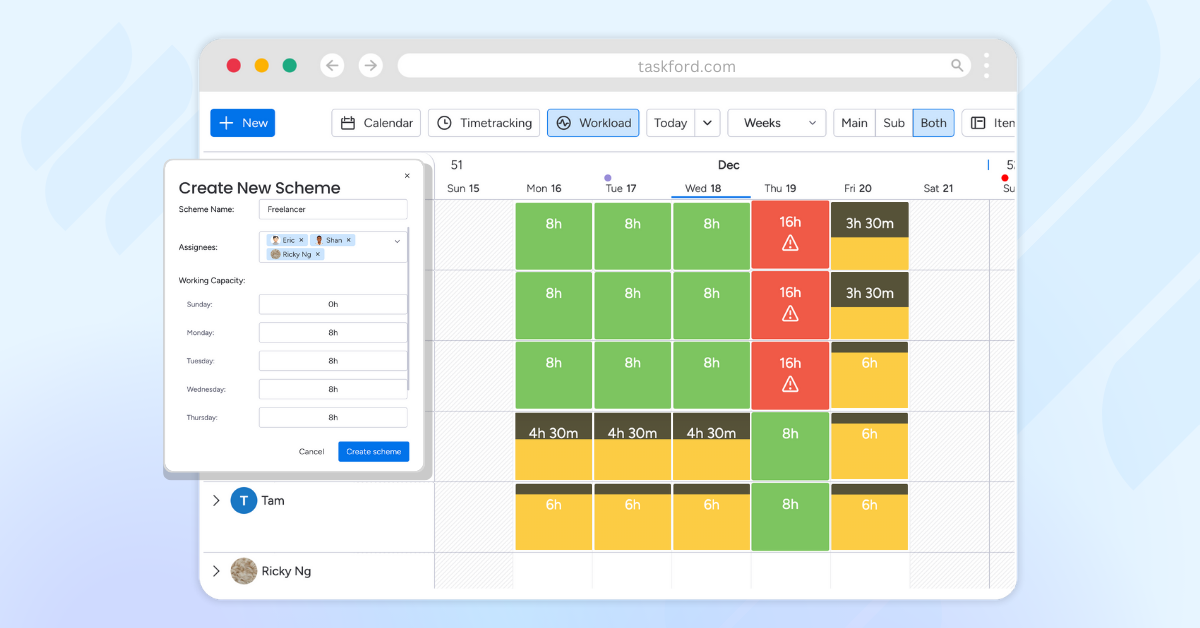
3. Check real capacity in the Schedule view
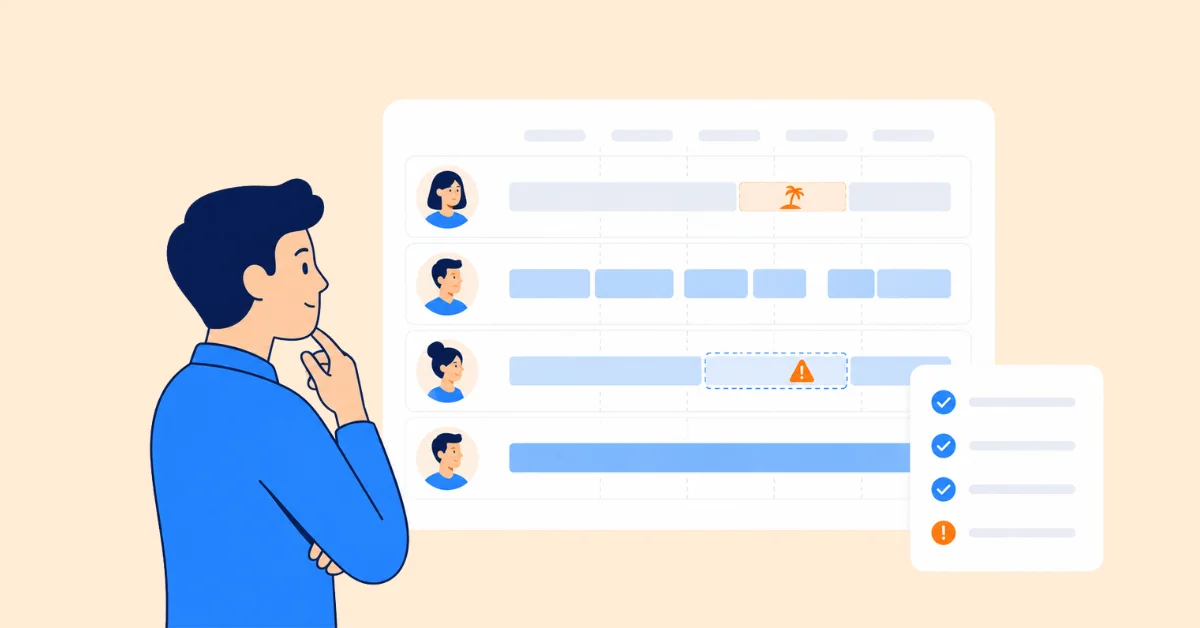
The Schedule view shows each person’s capacity, with time off and holidays already taken out. You can see who’s free, who’s full, and who’s quiet at 120%, before you assign anything.
4. Schedule tasks to the right people
Assign tasks to team members based on the availability you can see. No more booking someone who turns out to be on leave.

5. Tell soft from hard at a glance
Tasks are color-coded by stage, so tentative and confirmed work look different on the schedule. When a task moves to a confirmed stage, its color changes too. Everyone sees the same plan, and nobody has to ask Linda.
6. Log work in timesheets
Your team logs time against the tasks they were scheduled for, so you can compare scheduled hours with logged hours and plan the next project more accurately.
7. Approve timesheets before they reach the client
Team leads review and approve timesheets, so the hours you send to clients are checked and accurate. No more month-end detective work.

One flow, from “maybe” to “approved timesheet,” without a board, a spreadsheet, and a timesheet tool that never agree with each other.
👉 See your team’s real capacity before you book it. Try TaskFord free
Frequently Asked Questions
Is a tentative booking the same as a soft booking?
Yes. Tentative booking, soft booking, and pencil booking all mean the same thing: reserving someone’s time for work that might happen, without fully committing it. Different tools and teams use different names, but the idea is the same.
What is the difference between resource booking and resource allocation?
Resource allocation is the bigger decision of which people and skills go to which projects. Resource booking is the practical step of reserving a specific person’s time for specific dates. Allocation answers “who should work on this?” Booking answers “when exactly, and for how many hours?”
Can one person have more than one soft booking at the same time?
Yes. Because soft bookings don’t fully block capacity, one person can be tentatively held for several pieces of work during the same period. Hard bookings can’t overlap like this. Just keep an eye on how many soft bookings pile up on the same person, since several of them could be confirmed at once.
How far ahead should you soft book?
Far enough to act on what you see. For most teams, that means one to three months ahead. If hiring or bringing in contractors takes six weeks, your soft bookings need to show demand at least that far out, or they’ll only confirm a problem you can no longer fix.
What happens if a hard-booked project is cancelled or postponed?
Release or move the hard booking straight away, so those hours show up as available again. If the project is postponed rather than cancelled, you can turn it back into a soft booking with the new expected dates. Then let the team know, before they show up to a kickoff that no longer exists.
Do soft bookings count toward utilization?
No. Utilization should be based on confirmed work and the hours your team actually logs. Soft bookings are a forecast, not real work. Counting them makes your team look busier than it is, and makes it harder to see who actually has time.
Related Articles












































![What is an Effective Resource Management Plan Template [Free Download]](/marketing/blog/resource-management-plan-template.webp)




Subscribe for Expert Tips
Unlock expert insights and stay ahead with TaskFord. Sign up now to receive valuable tips, strategies, and updates directly in your inbox.